


Imagine this: you’ve trained a brilliant AI model. It can recommend the perfect movie, detect fraud, or even help doctors diagnose diseases. You’ve poured months — maybe years — into data, training, and testing. You press the big green “Go Live” button, and… what happens next?
If you think it magically starts working flawlessly, well… popcorn time! The reality is far more interesting, intricate, and full of surprises.
Let’s take a deep dive — step by step — into what really happens after an AI model goes live, why it behaves differently depending on the product, and how it keeps evolving.
Step 1: Deployment — The Model Meets the World
When we say “AI model goes live,” we mean deployment. This is when the trained AI is no longer just a set of numbers and code sitting on a computer — it’s now available for real users or systems to interact with.
Think of it like baking a cake. Training the model is the recipe and ingredients. Deployment is placing the cake on a plate for someone to eat.
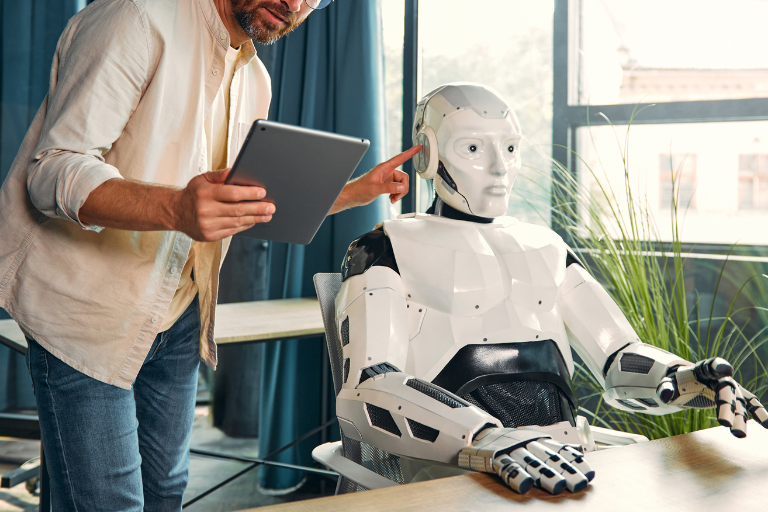
At this stage, the model is integrated into a product or service, which could be:
- A chatbot answering your queries
- A recommendation engine suggesting movies or products
- A fraud detection system in a bank
- A self-driving car deciding when to brake
Each product shapes how the AI is deployed:
- Chatbots require real-time responsiveness
- Banks need extreme reliability and audits
- Cars need low-latency, safety-critical responses
Step 2: Real-World Data Hits the Model
Here’s where things get interesting. During training, AI models only see historical or simulated data. Once live, the model sees live, real-world data — which is often noisy, unpredictable, or completely different from training data.
Example:
- Your recommendation engine learned that users like “action movies” at certain times. Suddenly, a viral romantic comedy hits — your model must adapt or risk weird suggestions.
- A fraud detection AI might encounter a clever new scam pattern it’s never seen before.
This is called the “data drift problem” — when real-world data doesn’t perfectly match what the AI learned during training.
Step 3: Predictions, Decisions, and Feedback Loops
Once live, the AI begins making predictions or decisions:
- Chatbots predict what text you want next
- Fraud AI predicts whether a transaction is suspicious
- Recommendation engines predict which movie you might enjoy
Here’s the catch: AI doesn’t “think” like humans. It assigns probabilities. For example:
- “There’s a 92% chance this transaction is fraudulent”
- “You’ll probably like this movie with 75% confidence”
These predictions are then acted upon:
- Chatbots respond
- Fraud transactions get flagged
- Recommendations appear on your screen
Feedback loops start forming immediately:
- Users interact with the AI (click, ignore, report)
- These interactions feed back into the system
- The AI gradually “learns” how to improve (if it’s designed for continuous learning)



Step 4: Monitoring and Metrics — The AI’s Report Card
Once the AI is live, engineers don’t just sit back. They constantly monitor its performance through metrics like:
| Metric | What it Shows | Example |
|---|---|---|
| Accuracy | How often predictions are correct | Fraud AI flagged 95% of scams correctly |
| Latency | How fast it responds | Chatbot replies in 0.2 seconds |
| User Engagement | Are users interacting as expected? | 30% of recommended movies watched |
| Drift Detection | Is the data different from training data? | Suddenly, more romance than action movies |
| Bias Monitoring | Is the AI fair across groups? | Loan approvals consistent across demographics |
Why this matters: Without monitoring, a model could start making nonsense predictions or even harm users without anyone noticing.
Step 5: Continuous Learning and Updates
AI models rarely stay static after going live. They adapt and evolve:
- Batch Updates: Engineers retrain the model weekly, monthly, or quarterly using newly collected data.
- Online Learning: Some AI continuously updates itself with every new input.
- Human-in-the-Loop: For critical tasks like healthcare or fraud detection, humans review AI decisions to guide learning.
Think of it like a plant: you don’t just plant it once. You water it, prune it, and sometimes move it to a sunnier spot.
Step 6: Edge Cases and Surprises
No AI model is perfect. Once live, it’s exposed to edge cases — rare or unusual situations it has never seen before.
Examples:
- A voice assistant mishearing “play Star Wars” as “lay car wars”
- A self-driving car encountering an unusual street sign
- Fraud AI seeing a completely new scam pattern
These surprises help engineers improve robustness — and they are part of the reason AI deployment is never a “set and forget” process.

Step 7: Product-Specific Variations
AI isn’t one-size-fits-all. The lifecycle differs based on the type of product:
| Product Type | How AI Goes Live | Key Considerations |
|---|---|---|
| Chatbots & Virtual Assistants | Serve real users in real time | Response speed, context retention, safe outputs |
| Recommendations (movies, products) | Suggest next action | Engagement tracking, click-through monitoring, personalization |
| Fraud Detection | Flag transactions or behavior | Accuracy vs. false positives, compliance audits |
| Healthcare AI | Assist doctors in diagnosis | Safety, interpretability, human oversight |
| Self-Driving Cars | Make driving decisions | Extreme safety, edge-case handling, sensor reliability |
Notice how risk and monitoring increase as the stakes rise.
Step 8: Scaling and Infrastructure Challenges
Going live is just the beginning. AI now has to handle traffic, data, and spikes:
- Cloud servers process predictions for millions of users
- Latency optimization ensures responses are near-instant
- Fail-safes prevent errors from impacting real users
Scaling can break models if not managed carefully — a model that works for 100 users may fail spectacularly for 1 million.
Step 9: Continuous Improvement Cycle
After going live, the AI enters a loop:
Collect Data → Monitor → Learn → Retrain → Deploy → Repeat
This loop continues for the entire product lifecycle. Even Google, Amazon, or Meta never stop tweaking models post-launch.
Think of it like a car on autopilot: it drives, learns from traffic, adapts, and engineers constantly check that it’s safe.
Step 10: The Human Element
No AI operates in isolation. Humans are still part of every stage:
- Setting objectives and metrics
- Reviewing decisions in high-stakes areas
- Updating datasets
- Handling surprises and edge cases
AI is powerful, but not magic. Humans guide, check, and refine it every step of the way.
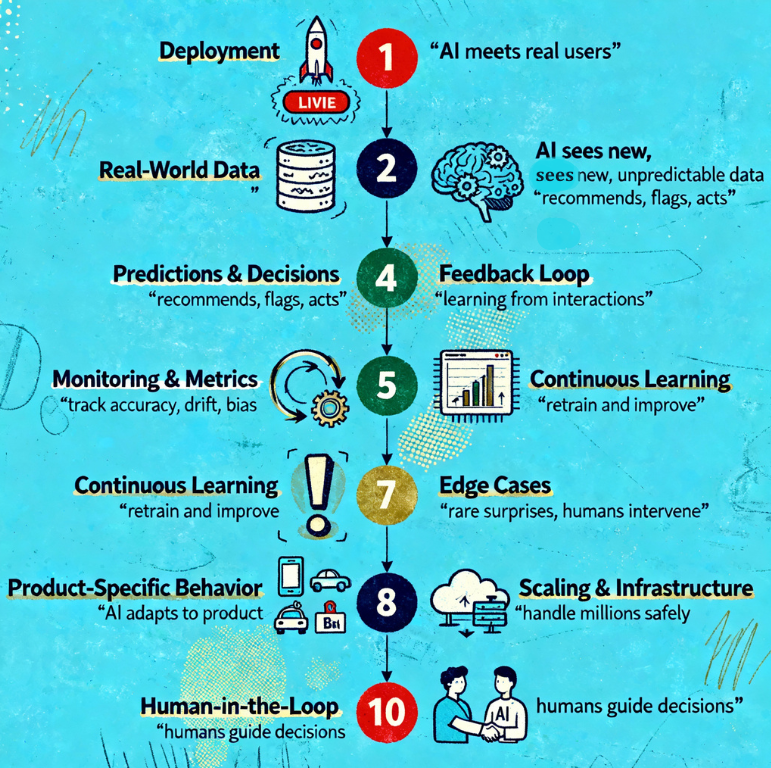
In Summary: AI Doesn’t Just Go Live — It Lives
After launch, an AI model:
- Meets real-world data
- Makes predictions or decisions
- Collects feedback and performance metrics
- Learns continuously (or via retraining)
- Handles surprises and edge cases
- Scales to millions of users
- Is guided by humans constantly
And yes — AI behavior differs depending on the product, risk level, and user base. A chatbot can make tiny mistakes without disaster. A self-driving car or medical AI can’t.
The journey from “trained model” to “AI that lives in the real world” is long, iterative, and fascinating.
So next time you see AI in action — recommending a show, flagging fraud, or assisting a doctor — remember: it’s not magic. It’s a complex system learning, adapting, and evolving in real time, with humans still steering the wheel.’
“AI may learn on its own, but meaning is still made by humans.”